
Share a VN Project File
Use these steps to share an editable VN project without using [Read-only] or [Protect Project].
Note
Users without VN Pro can use Project Sharing once per day.
Supported platforms: iOS, Android, macOS, and Windows
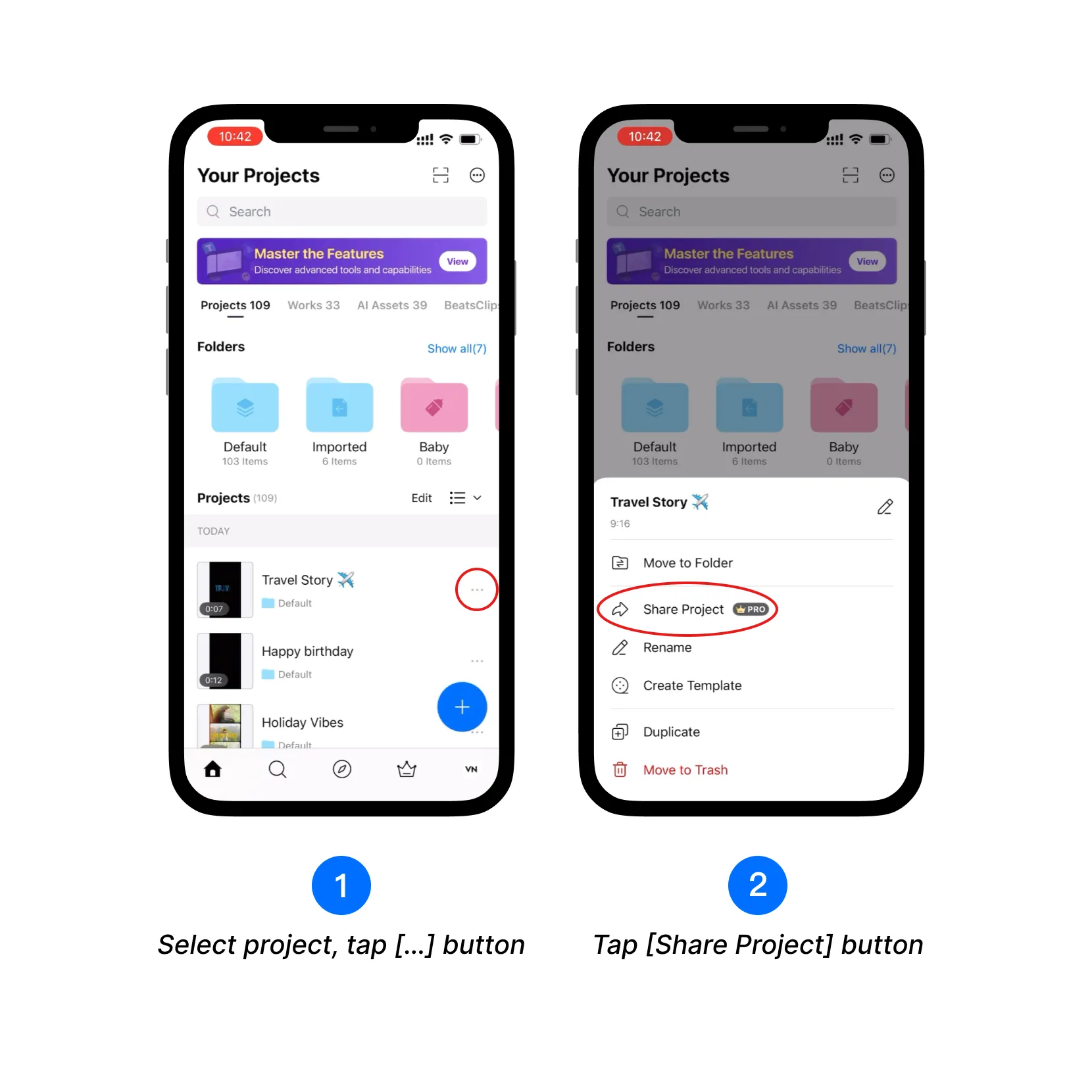
1. On [Home], find the project you want to share and tap the […] button beside it.
2. Tap [Share Project].
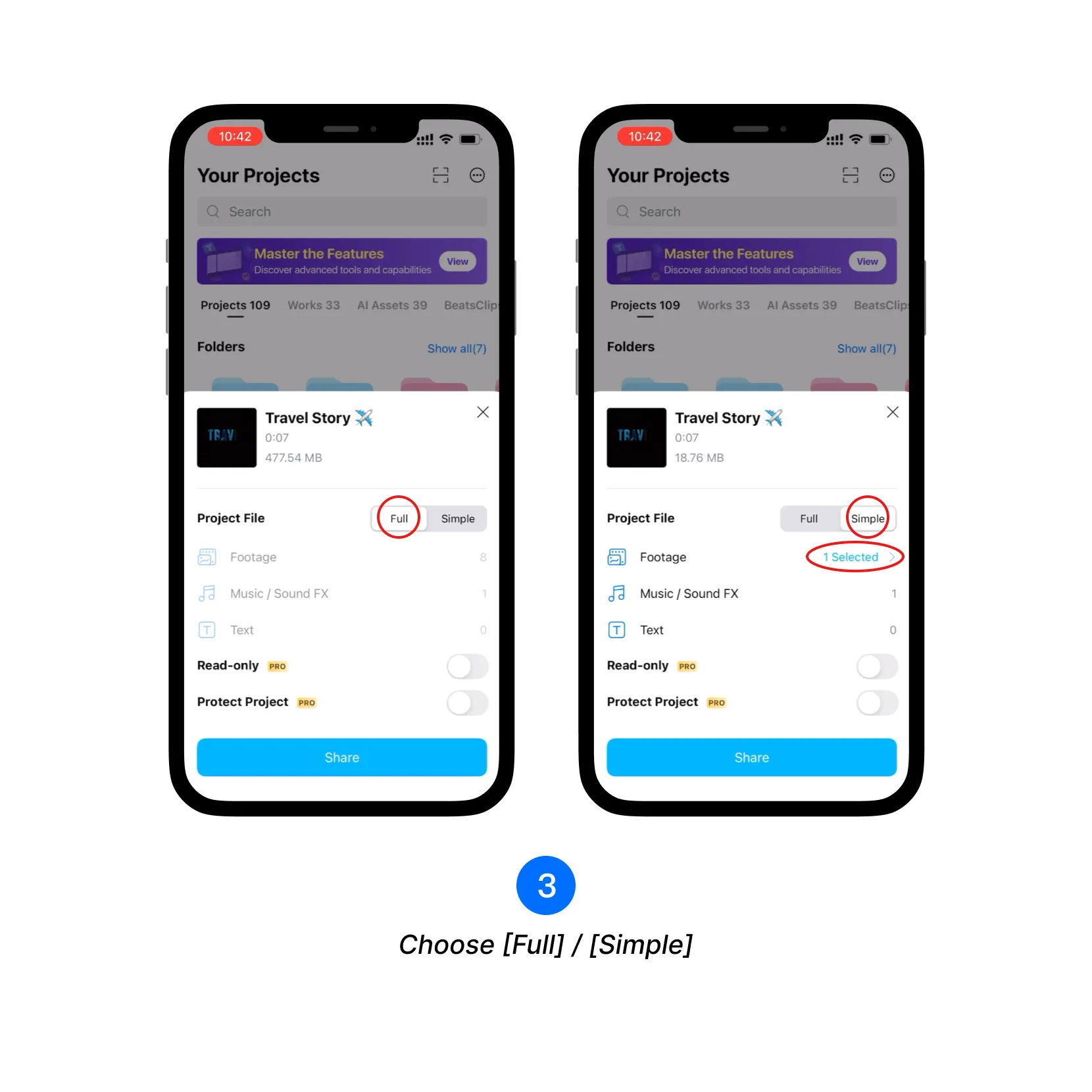
3. Choose how much project media to include:
- [Full] includes all footage and other media used in the project.
- [Simple] lets you choose which footage to include.
4. If you selected [Simple], tap [Footage], select the clips you want to include, and tap [Confirm Selected Footage] to select the desired clips to be included in the project file. If you selected [Full], continue to the next step.
5. Tap the [Share] button.
6. Choose an app or location to send or save the VN project file.
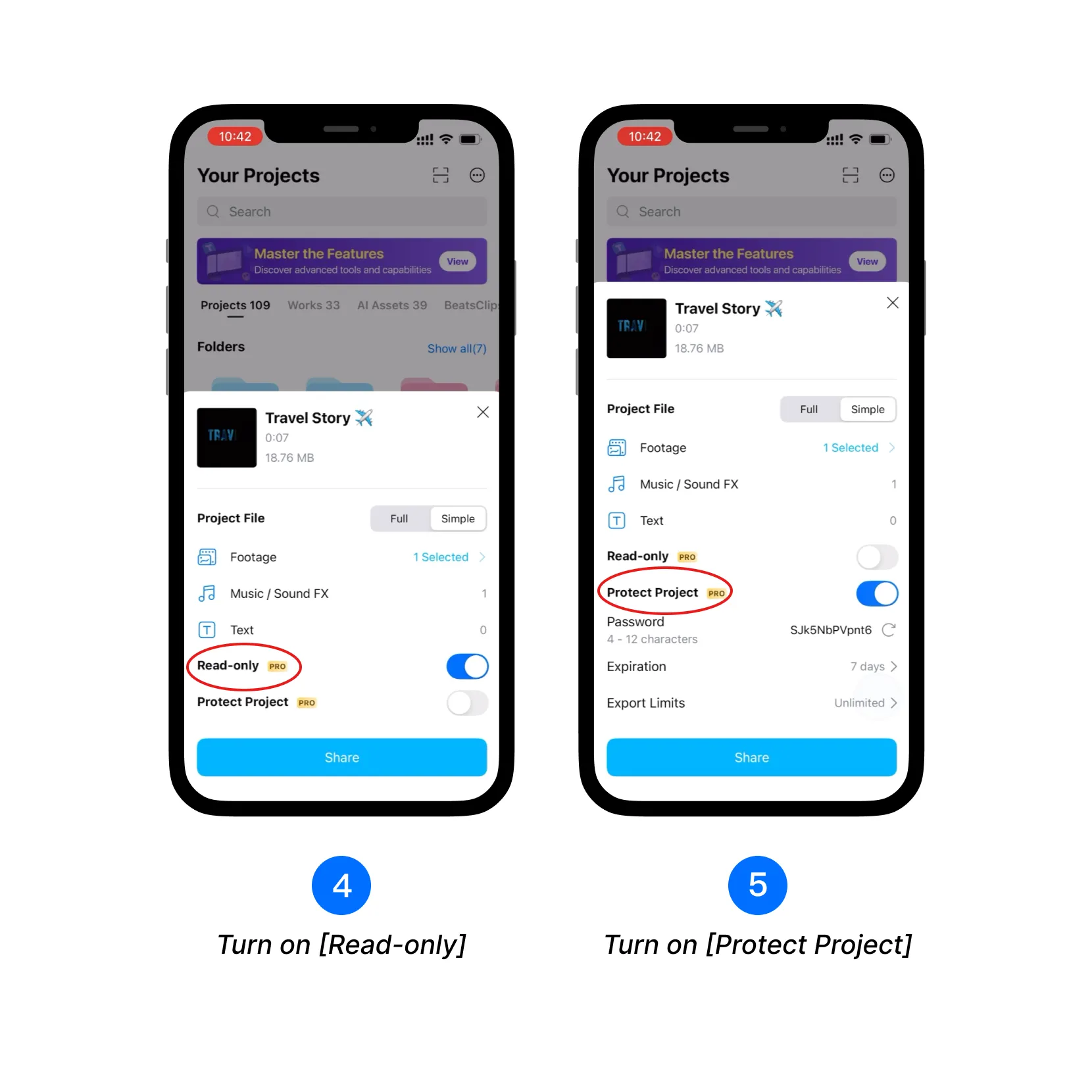
Use Read-only and Protect Project
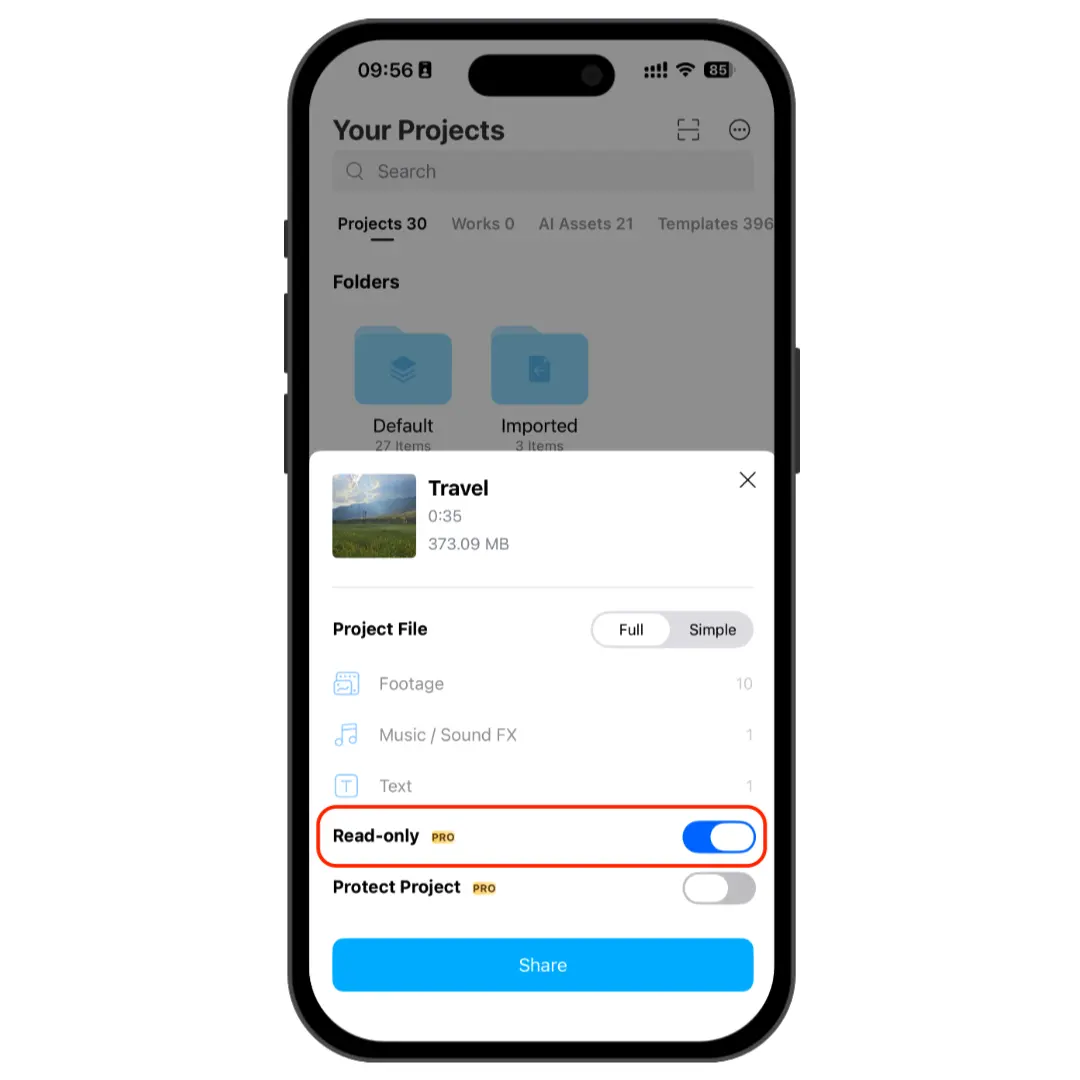
Before tapping [Share], you can turn on either of these optional controls if you subscirbed to VN Pro:
- [Read-only] allows the recipient to open and view the project but prevents editing and exporting.
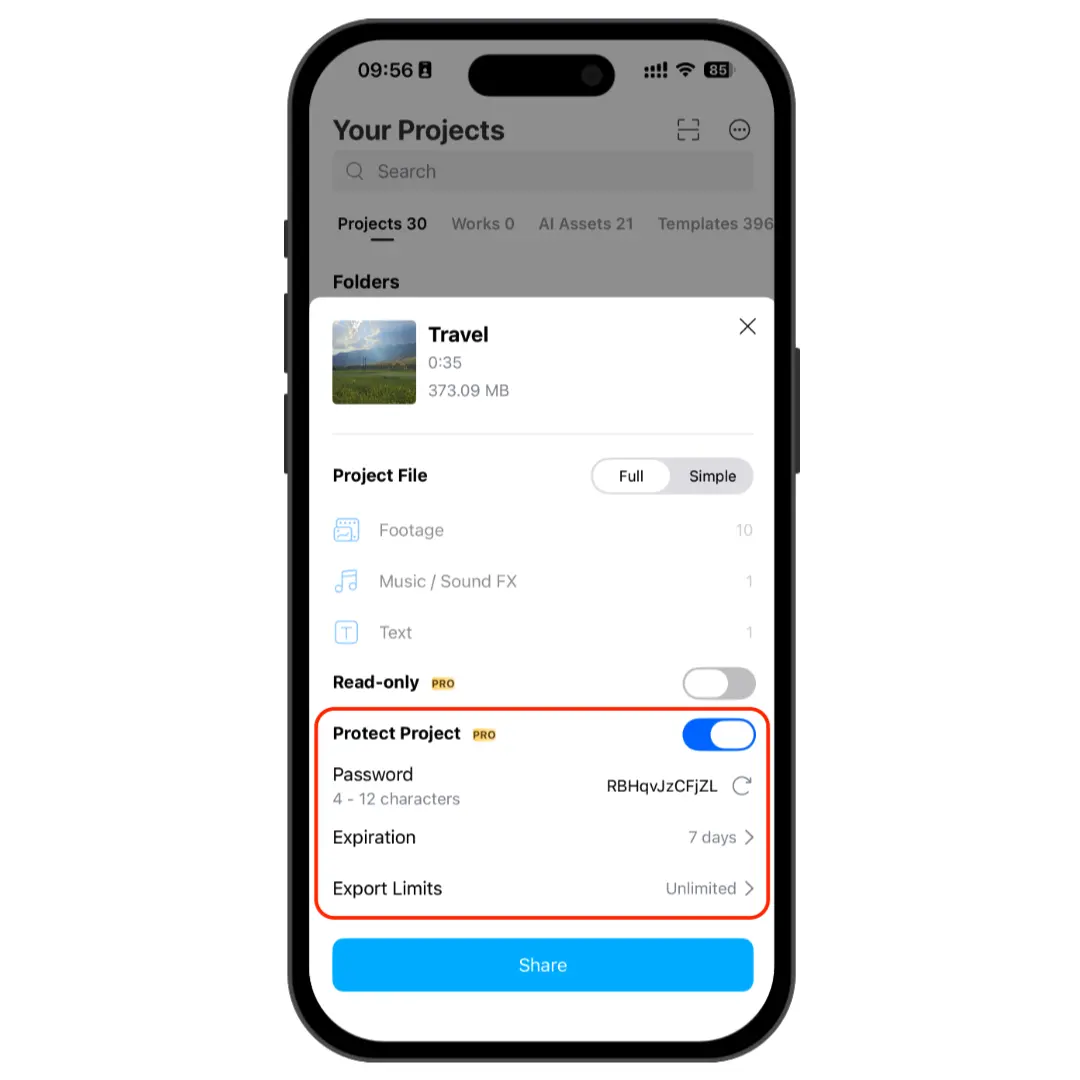
- [Protect Project] lets you add a password, choose when access expires, and limit the number of exports. Review these settings before sharing the project file.
After choosing the controls you need, tap [Share] and select where to send or save the project file.
Import a VN Project File
1. Open the shared VN project file and choose VN from the available apps.
2. If the project is protected, enter its password and tap [Confirm].
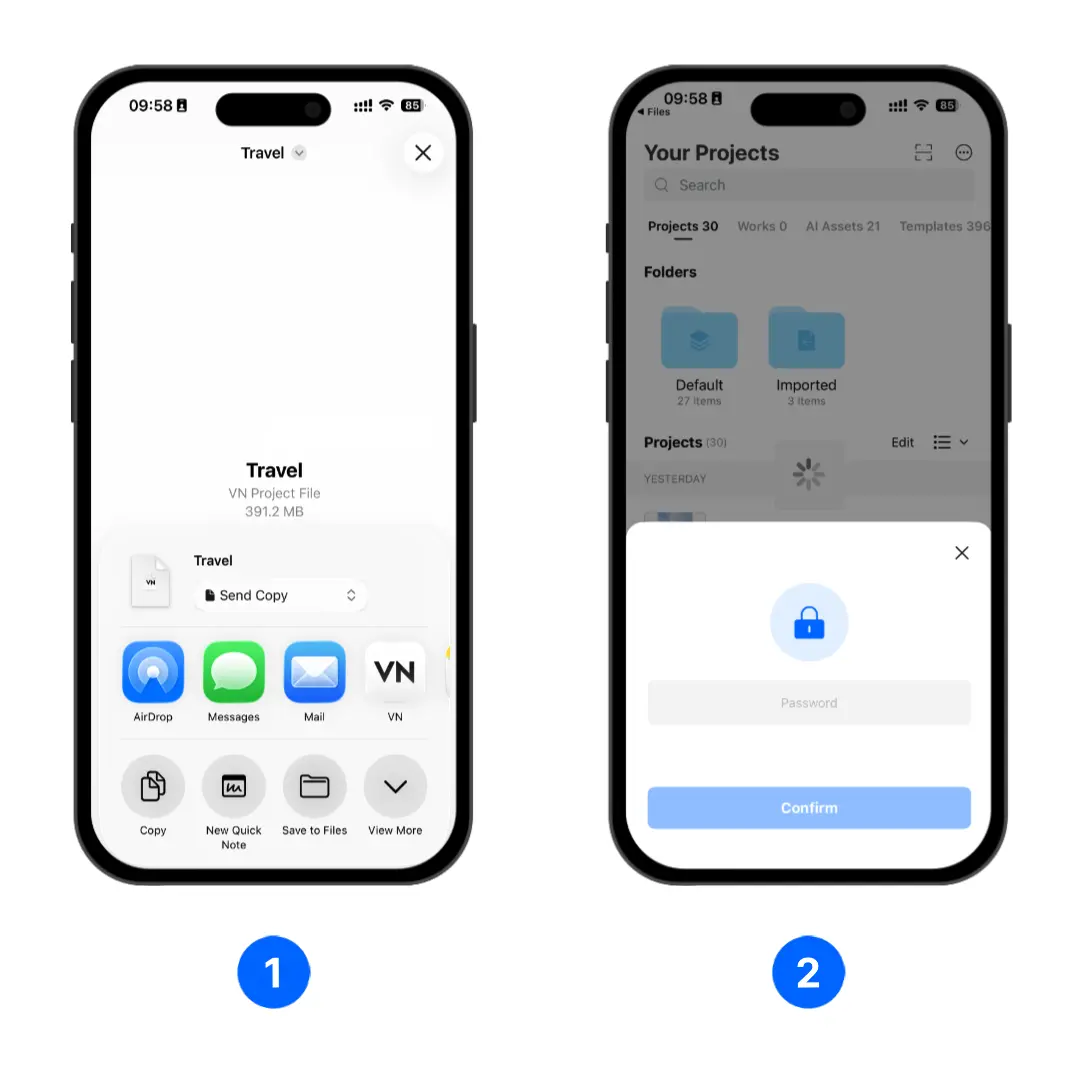
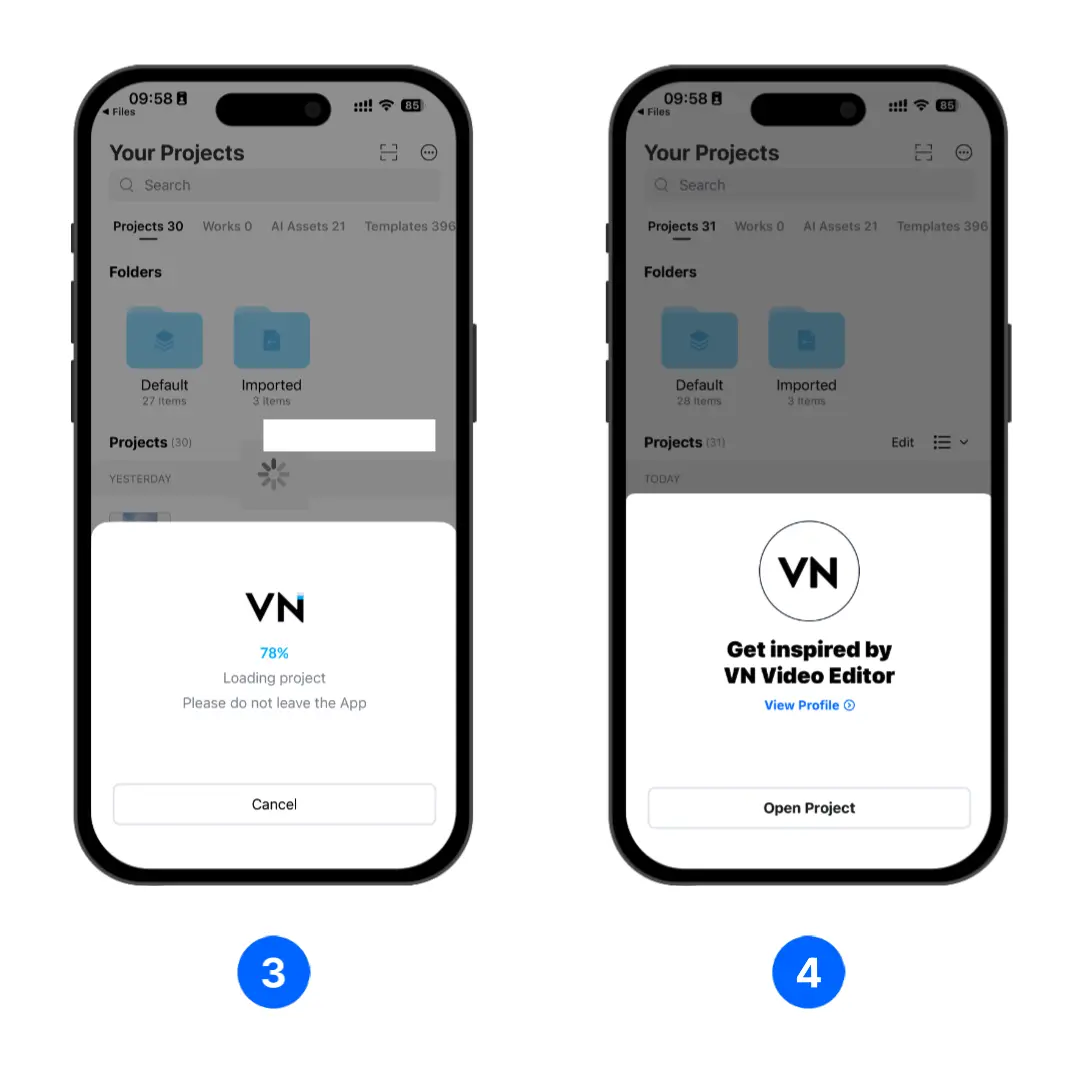
3. Wait for VN to finish loading the project. Keep VN open during this process.
4. Tap [Open Project] to open the project in the editor.