
Photo & Video Editor
Download

How to Use Seedance 2.5

Learn how to use Seedance 2.5 in VN, choose inputs, write clearer prompts, and get more controlled video results.

Seedance 2.5 is a video model designed for longer, story-driven clips and connected sequences. It emphasizes continuity across shots, natural transitions, rich audiovisual direction, and clips of up to 30 seconds in a single generation.

Seedance 2.5 strengths

Strength What it offers Example use
Long-form, multi-shot storytelling Generates clips up to 30 seconds in one pass and supports extending a story across rounds. Create a short narrative with a setup, development, and payoff.
Rich multimodal direction Interprets visual and audio references for subject, style, composition, motion, and sound. Combine a subject’s appearance with movement or sound that shapes the scene.
Continuity across shots and extensions Aims to keep subjects, settings, pacing, and audiovisual style consistent. Follow the same character or setting through scene changes or continued footage.
Natural motion and smoother transitions Designed for more natural motion, camera movement, and transitions. Create connected sequences where movement feels less abrupt.
Joint audio-video generation and timing Generates sound with video and supports targeted timing of actions. Align dialogue, effects, music, and visual action.

Video models are available in AI Edit and in related functions on the Kits page. Availability may vary by feature.

Frequently Asked Questions

Learn how to use Seedance 2.5 in VN, choose inputs, write clearer prompts, and get more controlled video results.

Seedance 2.5 is designed for longer storytelling, multimodal references, and coordinated audio-video generation. In VN, it is available in the Text, Image References, Frames, and Omni References modes.

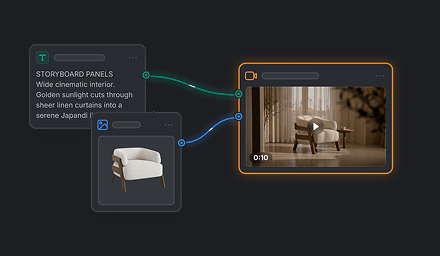
Use Text for a scene described in words, Image References to animate or guide a scene with images or character references, Frames to define the opening and optional ending images, or Omni References to combine image, character, video, and audio references.

State the subject and action first, then describe the setting, shot or camera movement, visual style, timing, and any details that must remain consistent. When you attach references, explain what each one should guide.

A prompt and references guide generation but do not guarantee exact identity, physics, small details, timing, or continuity. Dense prompts with competing actions can also produce less predictable results. Keep a shot focused and review the output before using it.

Change one or two instructions at a time, clarify the action or camera direction, or replace a reference that conflicts with the intended result. Then compare the variation with your intended result.