

Add Music Beats
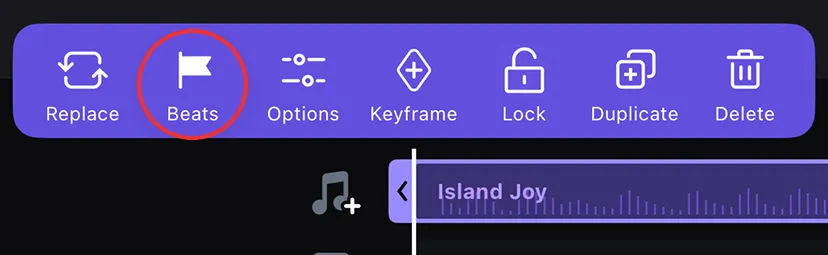
Tap the music track and select [Beats].
Manual Beats
- Adjust the playback speed (0.5x or 1x) to tap beats in real time.
- Or drag the timeline to manually place beat points.
- Tap a beat point to adjust its timing by 0.05s, preview it, or delete it.
Auto Beats
Tap the [Auto Beats] to generate beat points automatically, and use the slider to adjust the beat frequency.
Tap a beat point to adjust or delete, same as manual.
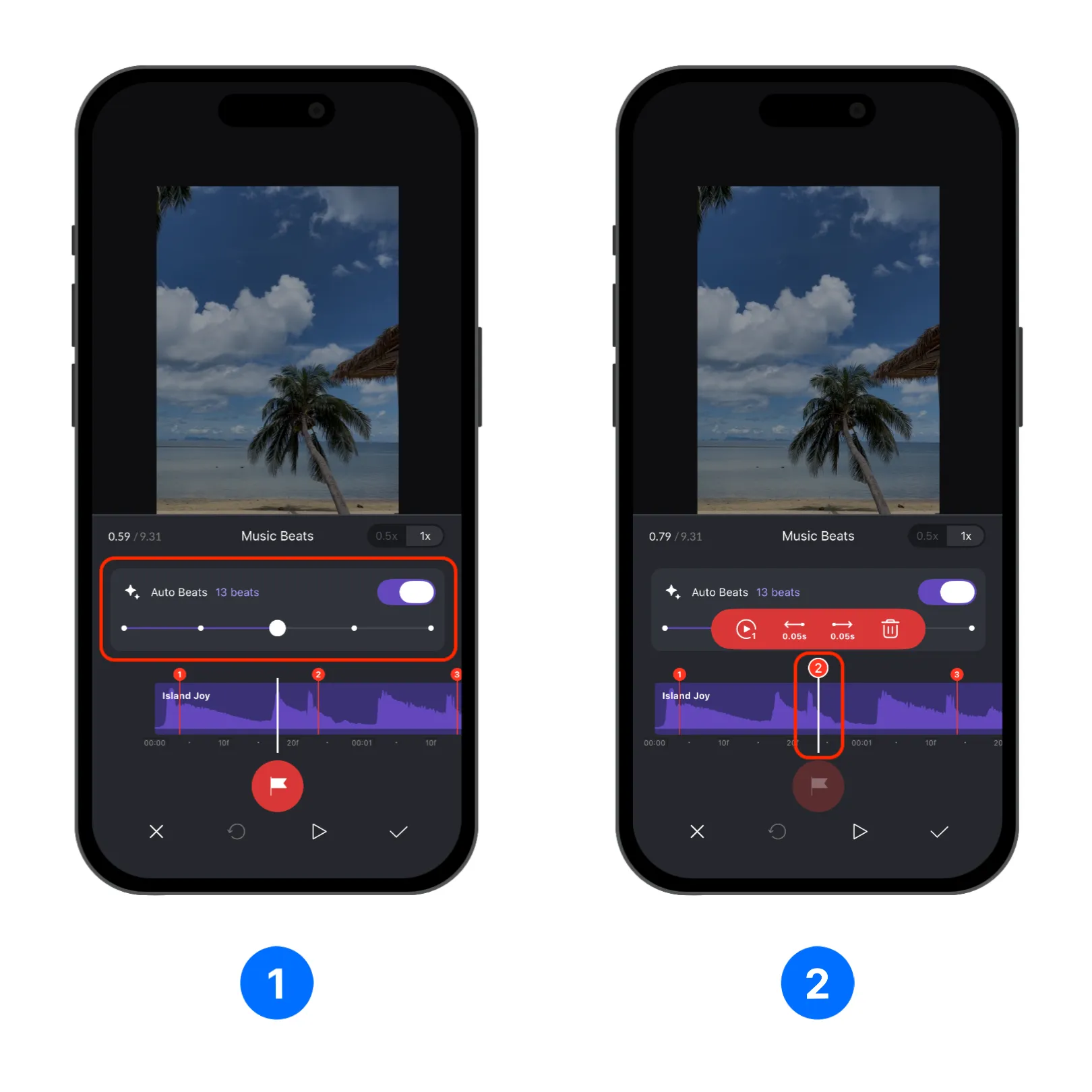
Once your beats are set, tap the [Confirm] icon to apply them — your beat points will appear on the music track, ready for precise and rhythm-driven editing.

Note: If you want to create beats based templates, check out Create VN Template with Music and Create VN Template with Viral Music Video.