Locate and Share the Saved VN Templates
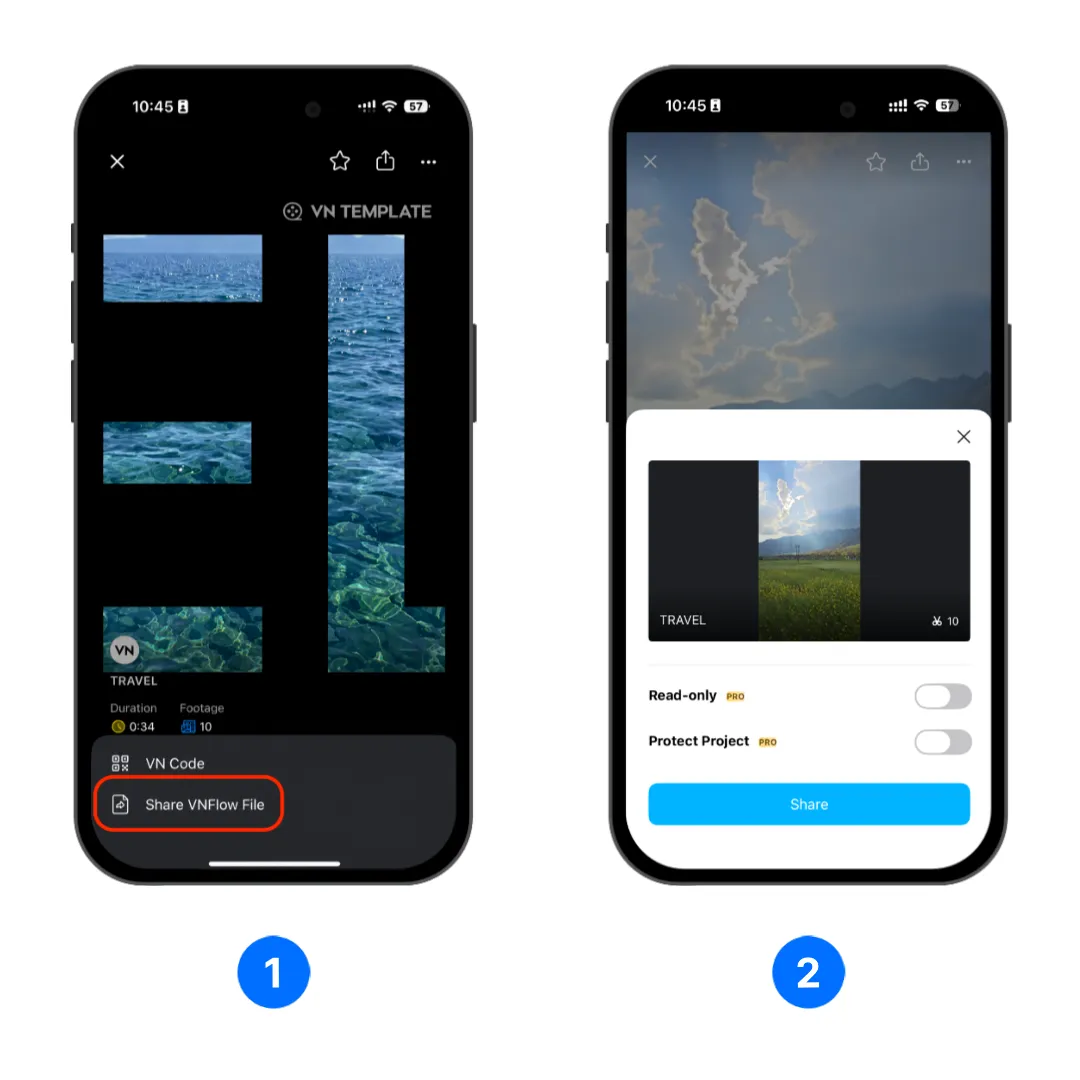
1. Open VN app and head to [Home] > [Templates]
2. Tap the [Share] button.
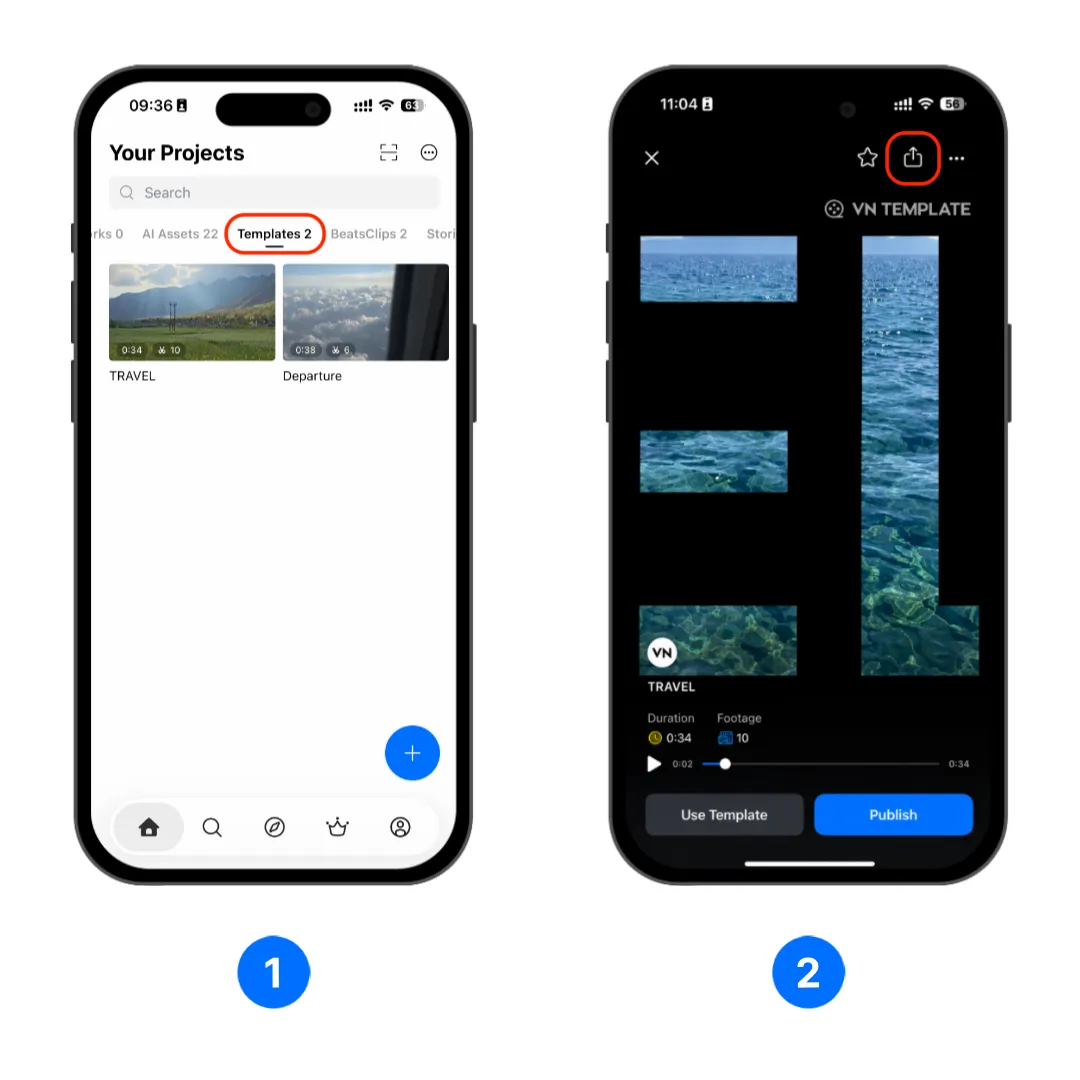
Share a Template With a VN Code
A VN Code lets other users scan or import a code to open the shared template in VN.
1. Open the template preview, tap the share button, then select [VN Code].
2. Enter the template title and optional description, then edit the cover when needed. If the screen asks for a downloadable file:
- Tap [Save the file].
- Upload the file to a supported cloud service.
- Set the file permission so anyone with the link can access it.
- Paste the link into [Download link].
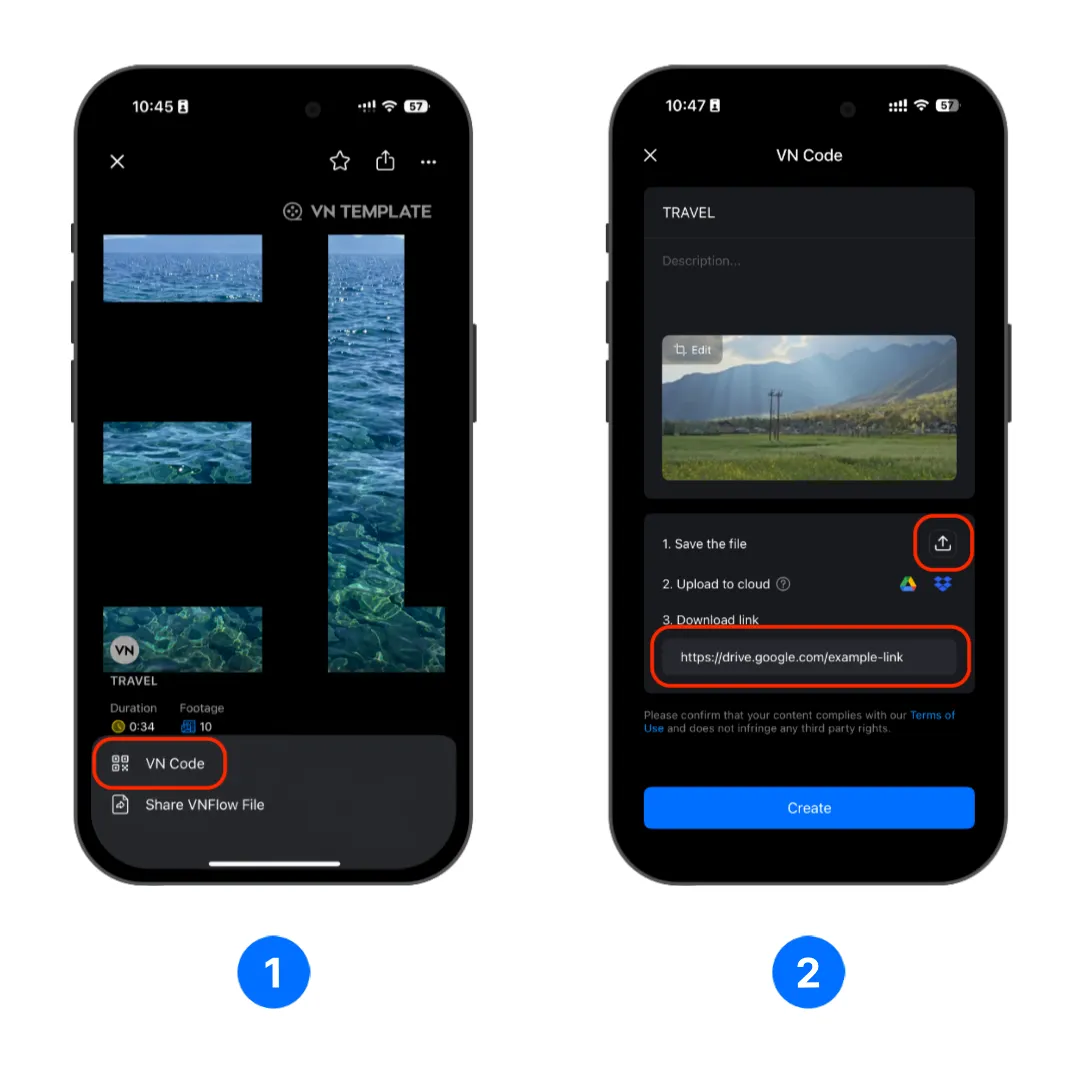
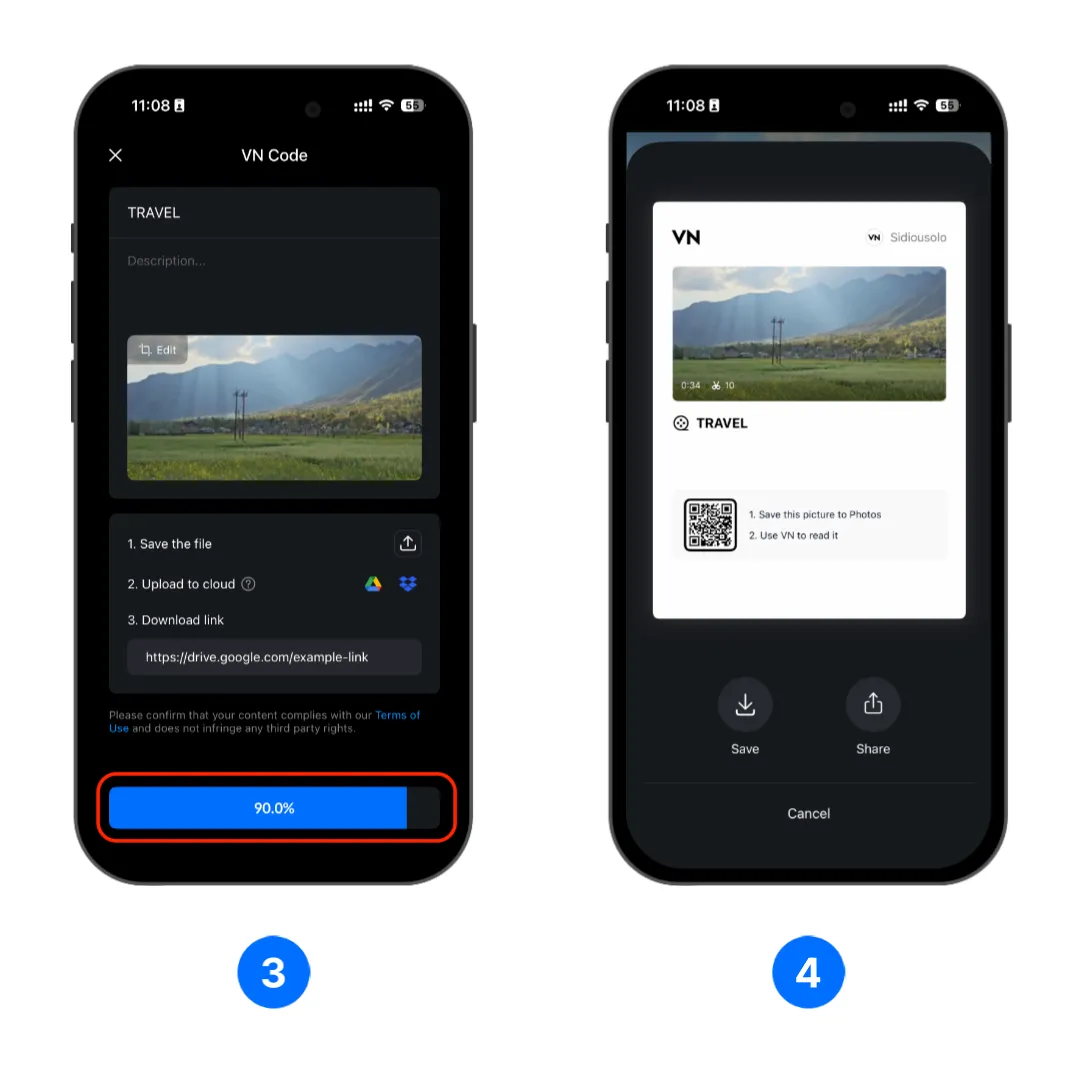
3. Tap [Create], wait for the VN Code to be generated.
4. Choose either saving the generated VN Code image to your photo album or sharing it.
Note
Keep the uploaded template file available after sharing the VN Code. Removing the file or restricting its cloud permission can prevent other users from downloading the template.
Share a Template as a VN Template File
A VN Template File lets you send the reusable template directly instead of creating a VN Code.
1. Open the template preview, tap the share button, then select [Share VNFlow File] to share it as a VN Template File.
2. Review the optional protection settings, then tap [Share] and choose where to send or save the file.
- [Read-only]: Restricts how the recipient can use the shared template.
- [Protect Project]: Adds available protection controls, which may include a password, expiration date, or export limit.