



Social Media Creators
Create presenter-led posts, reels, and short videos from a script. Add an AI Avatar to introduce a topic, share a quick update, or deliver a message directly to your social audience.
Give your video a presenter without setting up a camera or recording a take. Write what you want to say, choose an AI Avatar, and generate a clip in VN.
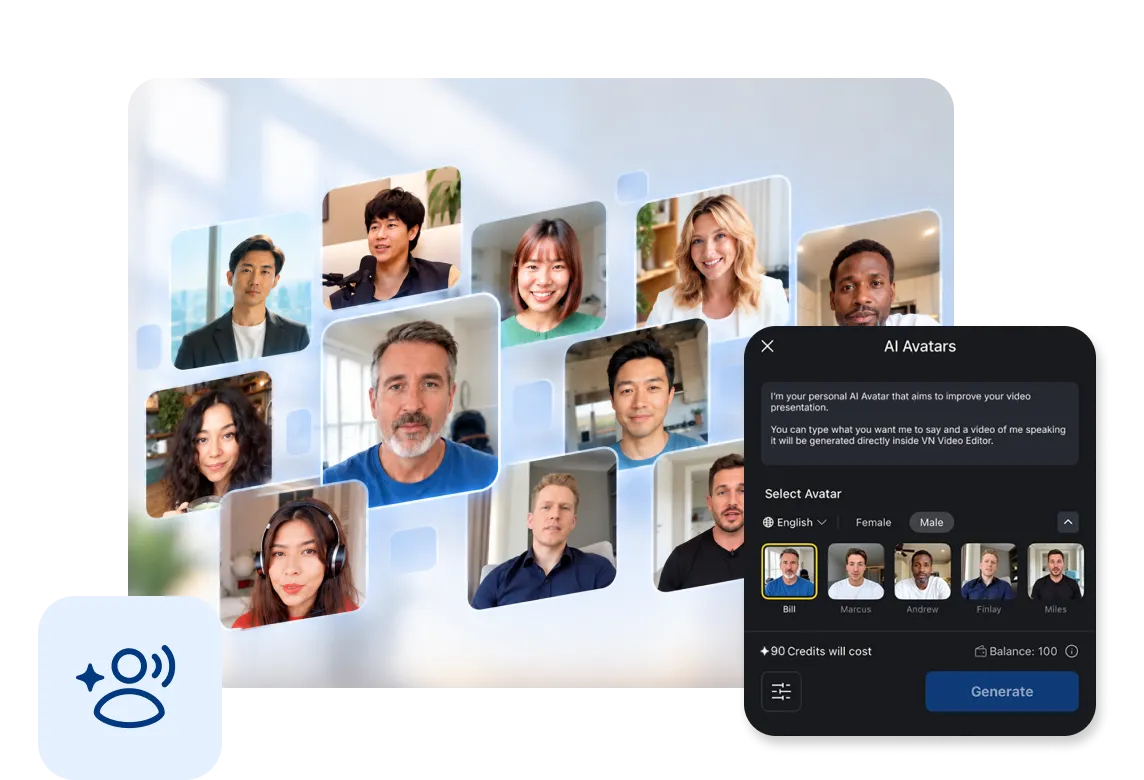
Generate a presenter with AI Avatar is easy, simply type or paste the script that you want the avatar to say and hit Generate.
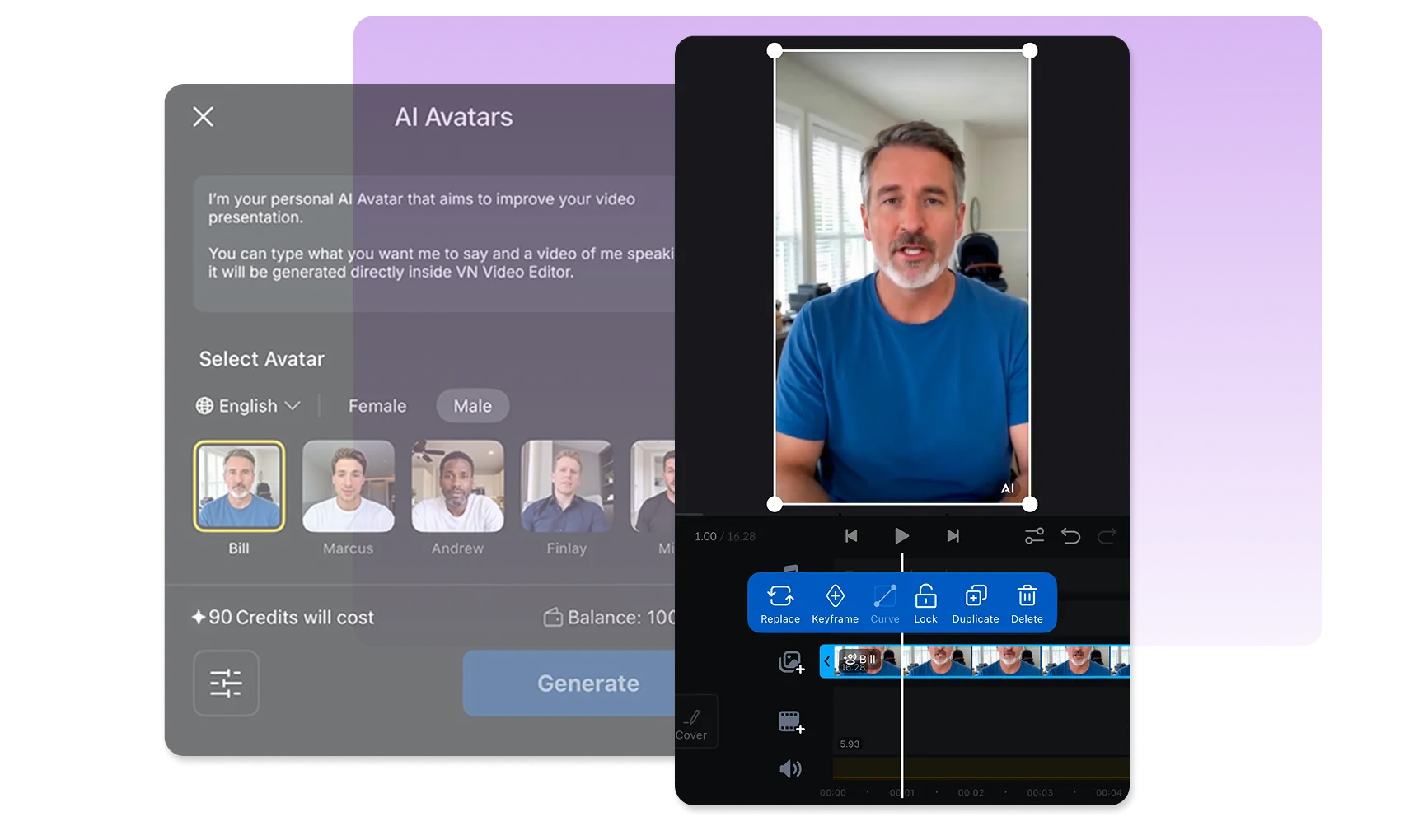
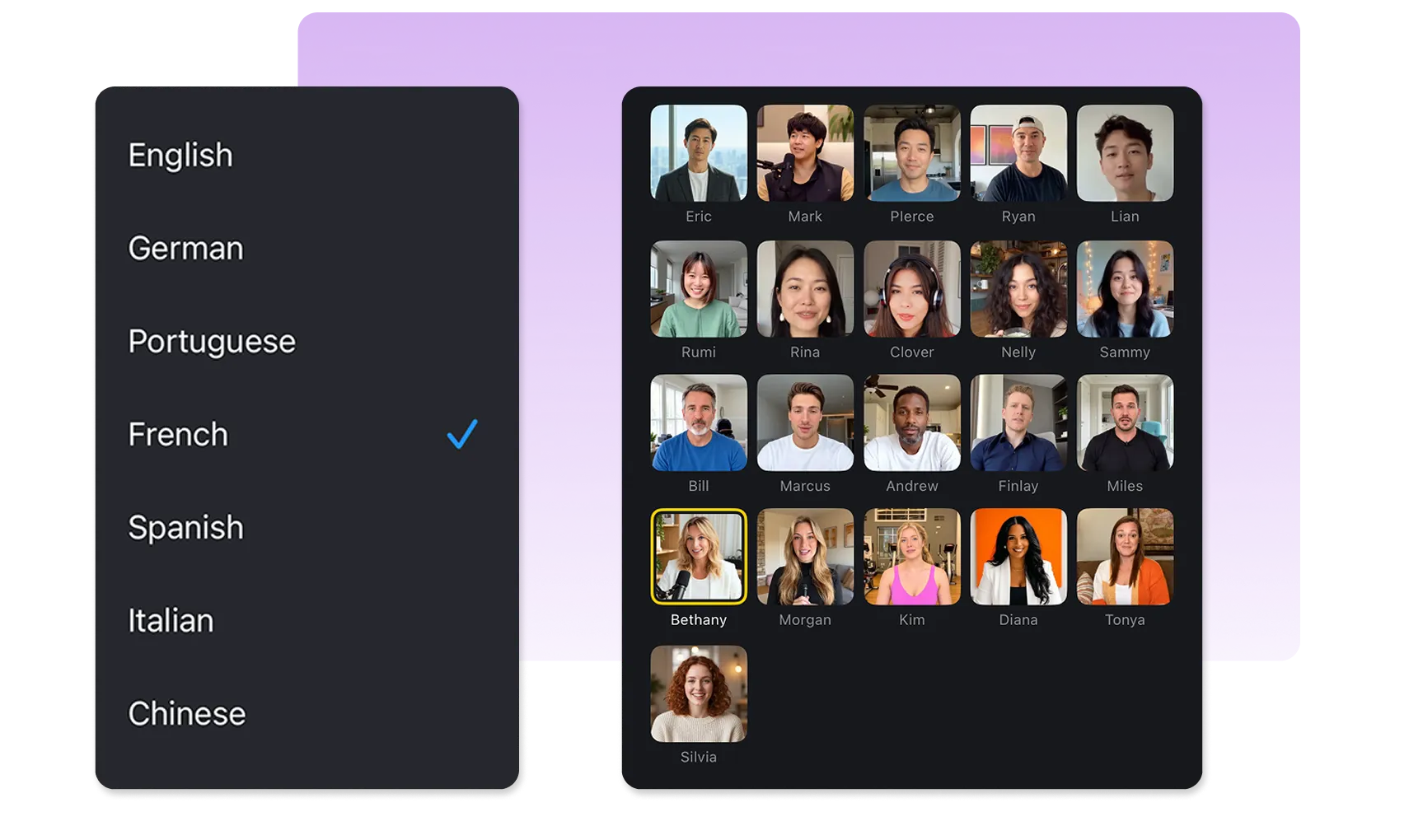
Browse the available language and avatar choices, then tap the avatar photo to preview their voice and see if they fit your video.
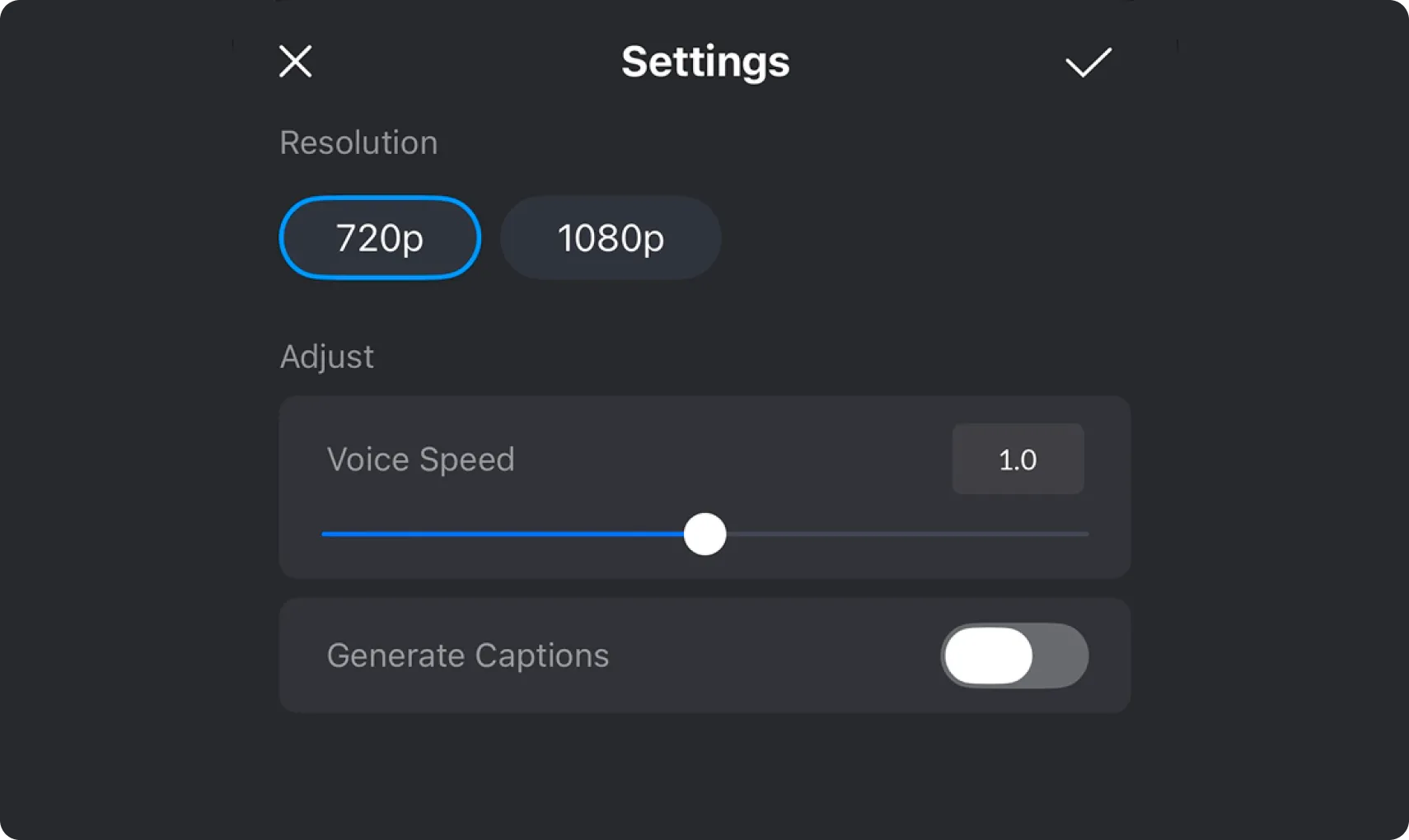
Choose 720p or 1080p resolution, adjust voice speed from 0.5x to 1.5x, and decide whether VN should add generated captions to the subtitle track.
Create presenter-led posts, reels, and short videos from a script. Add an AI Avatar to introduce a topic, share a quick update, or deliver a message directly to your social audience.

Make product announcements, campaign messages, and brand updates with a virtual presenter. Write the message, choose an avatar, and create a presenter-led clip for your marketing content.

Walk viewers through a process or explain a concept with a virtual presenter. Use a written script to structure the lesson, then set the voice speed, resolution, and subtitles for your tutorial.
A few quick details about creating with AI Avatar in VN.
Open a project in the VN editor and tap [AI Avatars] in the bottom toolbar.
Yes. Enter your own text in the script editor, which supports up to 5,000 characters, or start with [Try an Example] and edit the sample before applying it.
Yes. Tap an available presenter in the AI Avatars panel to preview their voice before generating.
You can choose 720p or 1080p resolution, set voice speed between 0.5x and 1.5x, and turn generated subtitles on or off.
After you apply a script, VN displays an estimated credit cost near your available balance. The estimate can depend on your choices, so check it before you tap [Generate].
Enhance image resolution for sharper visuals.
Generate subtitles in multiple languages instantly.
Remove backgrounds automatically with AI.
Enhance, transform, or create images with AI.
Auto-sync cuts to music beats for perfect timing.
Turn black-and-white images into realistic color.


