






Social Media Creators
Create eye-catching motion to stand out on TikTok, Reels, and Shorts. Add dynamic energy to keep viewers engaged.
Bring your videos to life with Motion FX. Apply dynamic motion effects instantly and fine-tune their timing, position, and intensity to match your edits perfectly.
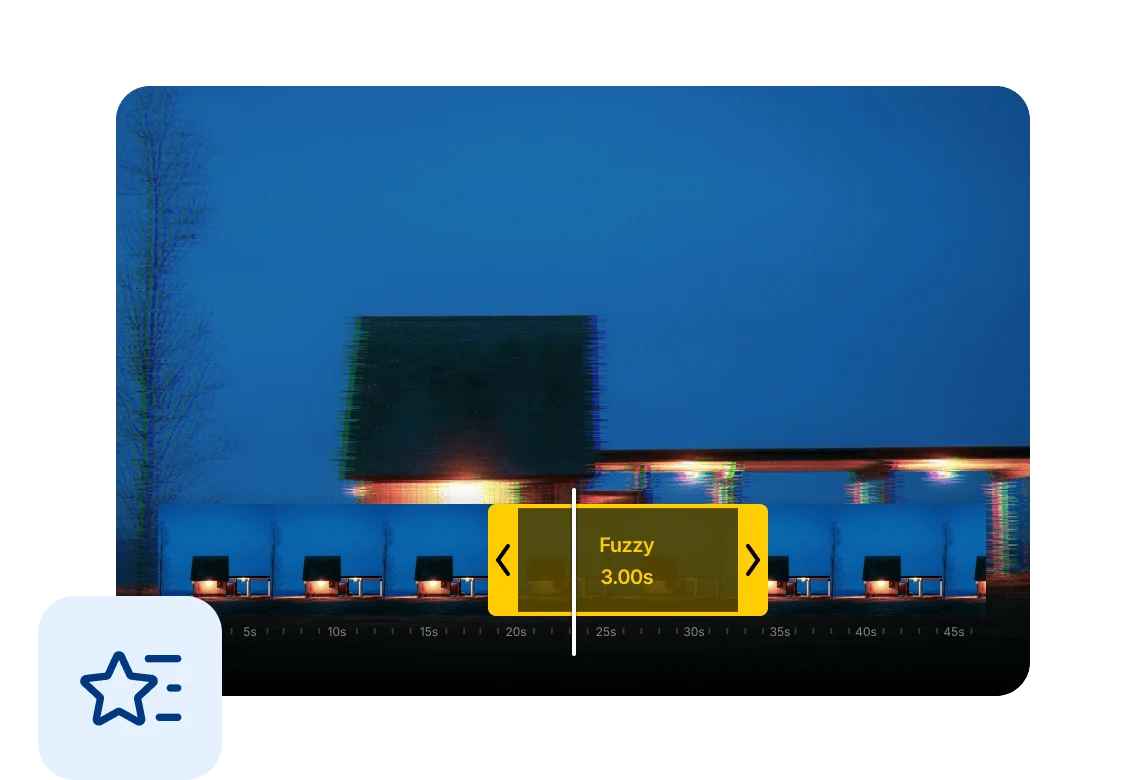
Choose from a wide range of Motion FX, including zoom, shake, spin, and more. Instantly enhance your clips with dynamic animations.
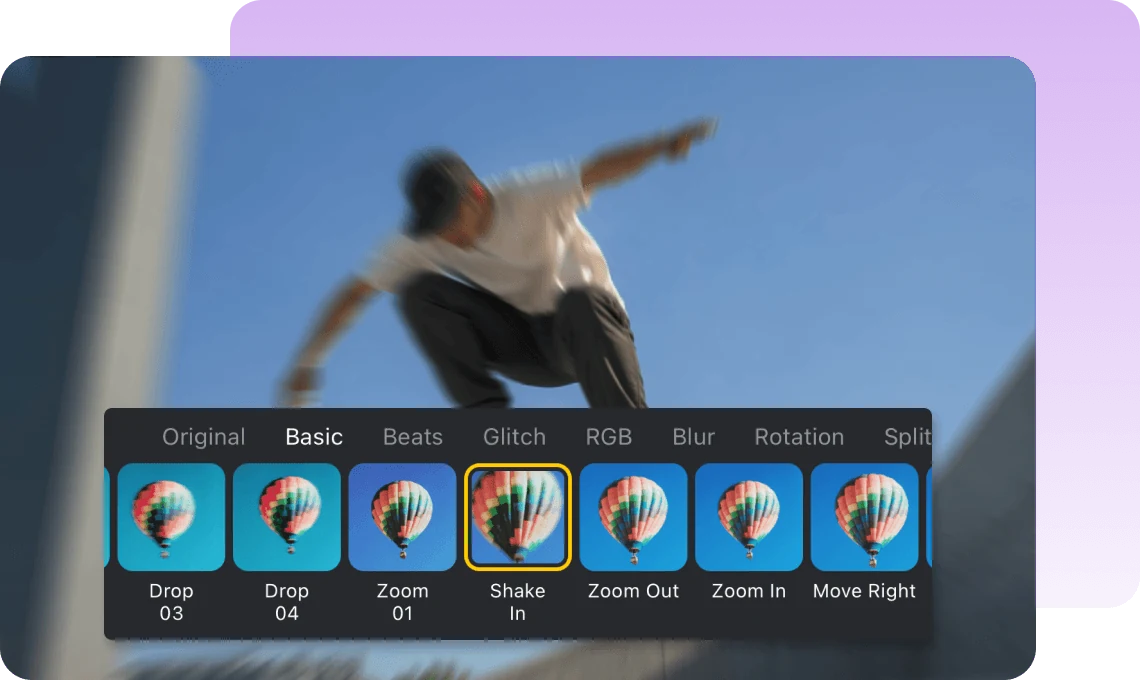
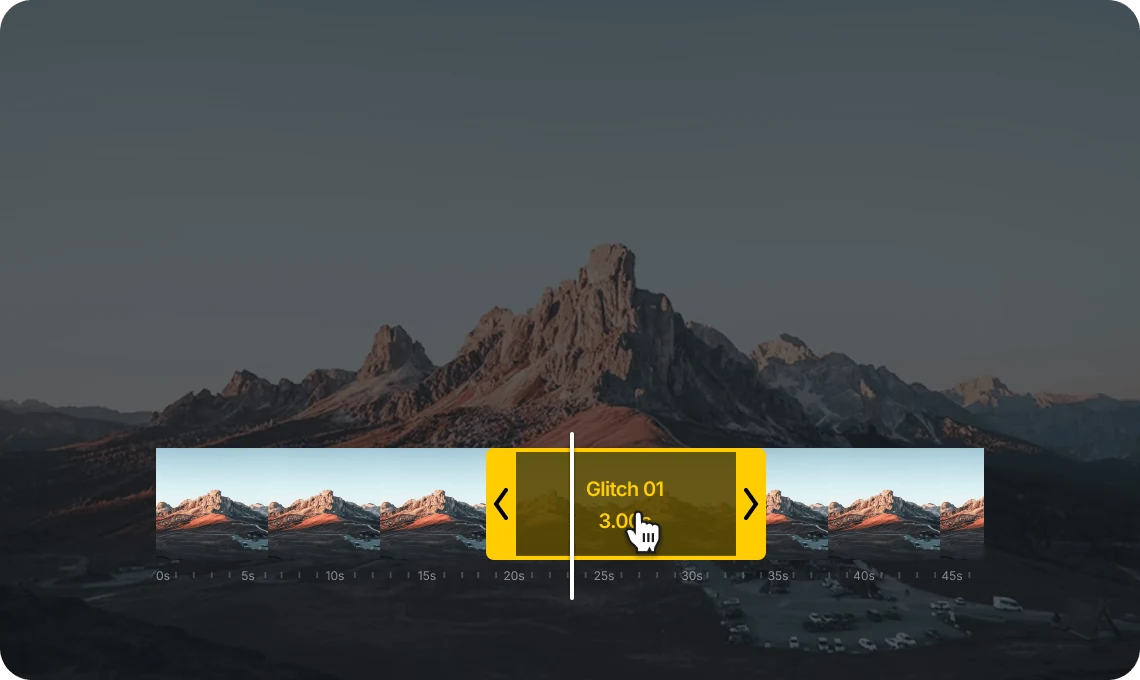
Apply effects exactly where you need them. Adjust when they start, how long they last, and where they appear to match your video’s rhythm.
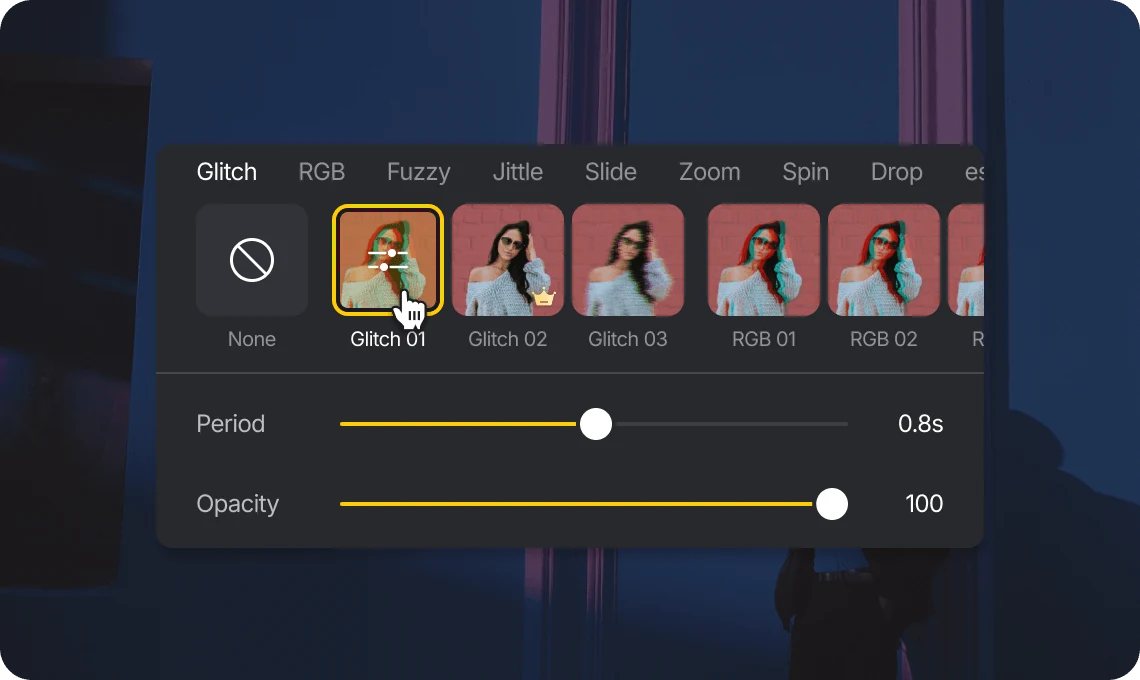
For select Motion FX, advanced controls like period and opacity let you fine-tune how effects behave and how strong they appear.
Create eye-catching motion to stand out on TikTok, Reels, and Shorts. Add dynamic energy to keep viewers engaged.

Highlight key points with motion effects. Guide attention and make your explanations clearer and more engaging.

Enhance product demos and promotional videos with smooth motion. Add a professional and polished feel to your content.
Everything you need to know about VN's Motion FX
Motion FX are dynamic effects like zoom, shake, and spin that add movement and energy to your video clips.
Select a clip, apply a Motion FX, and adjust its timing, position, and intensity directly on the timeline.
Yes. You can fine-tune when effects start, how long they last, and adjust advanced parameters like opacity or period.
VN offers a variety of effects including zoom, shake, spin, and other dynamic animations.
Many Motion FX are available for free, while some advanced effects may require Pro access.
Enhance image resolution for sharper visuals.
Generate subtitles in multiple languages instantly.
Remove backgrounds automatically with AI.
Enhance, transform, or create images with AI.
Auto-sync cuts to music beats for perfect timing.
Turn black-and-white images into realistic color.


