



Social Media Creators
Polish handheld footage for TikTok, Reels, and YouTube Shorts so movement feels cleaner and easier to watch.
Stabilize shaky footage in VN with adjustable strength controls that balance smoother motion and frame cropping.
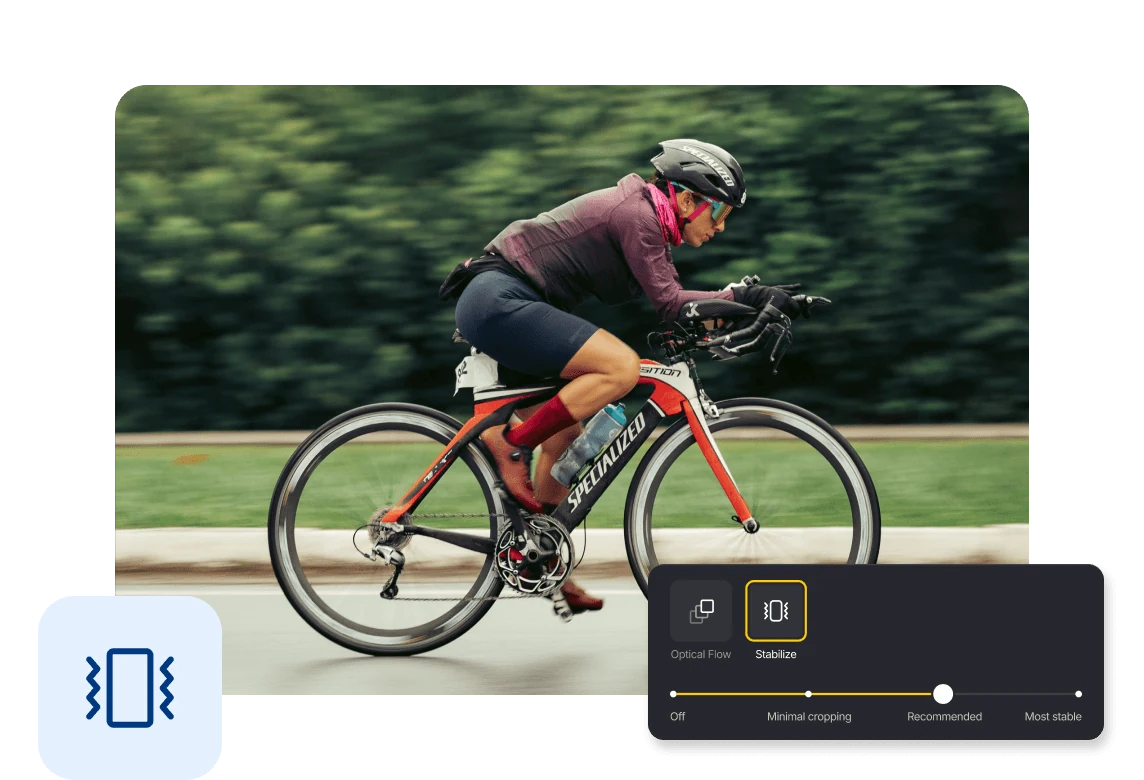
VN analyzes camera movement and adjusts the position of each frame to reduce visible shake in handheld and moving-camera footage.
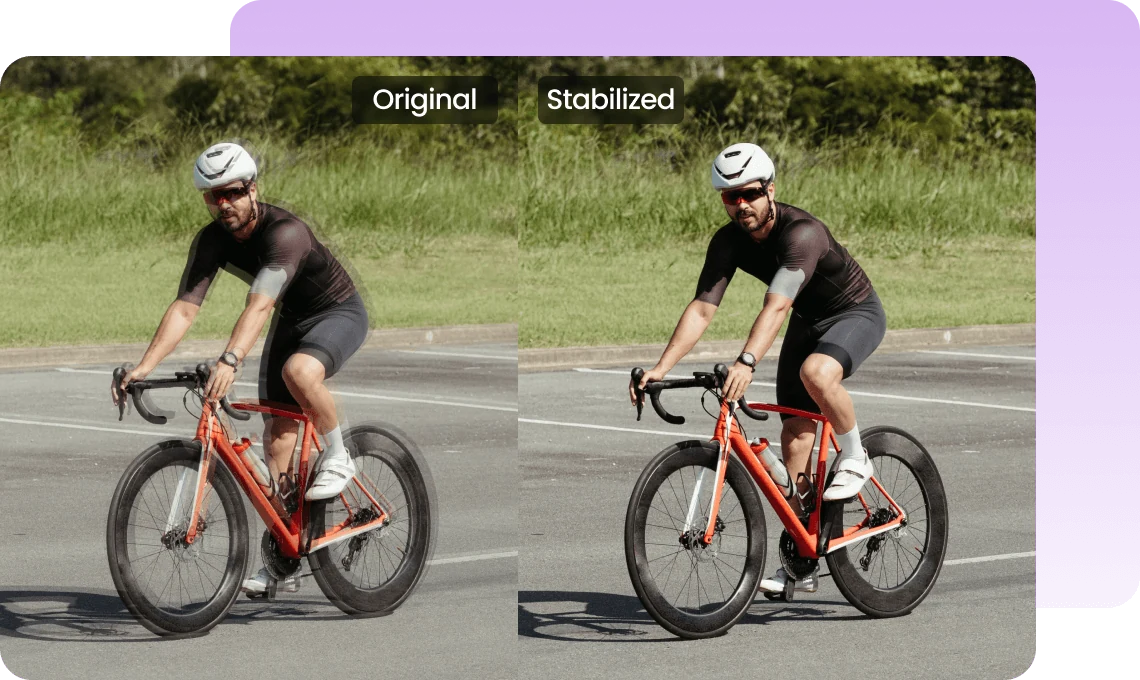
Use Minimal Cropping when preserving more of the frame matters, or increase the strength when smoother motion is the priority.
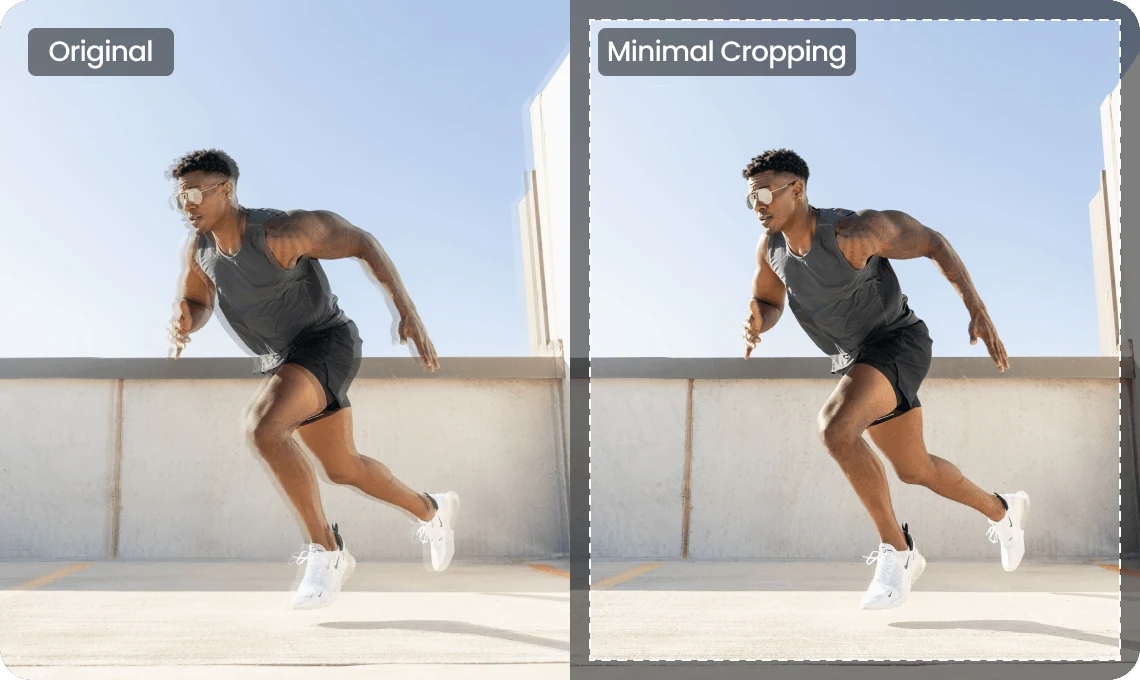
Select a clip, open Video Quality and Stabilize, choose a strength, and wait for processing to finish. Preview the result and check subjects near the cropped edges.
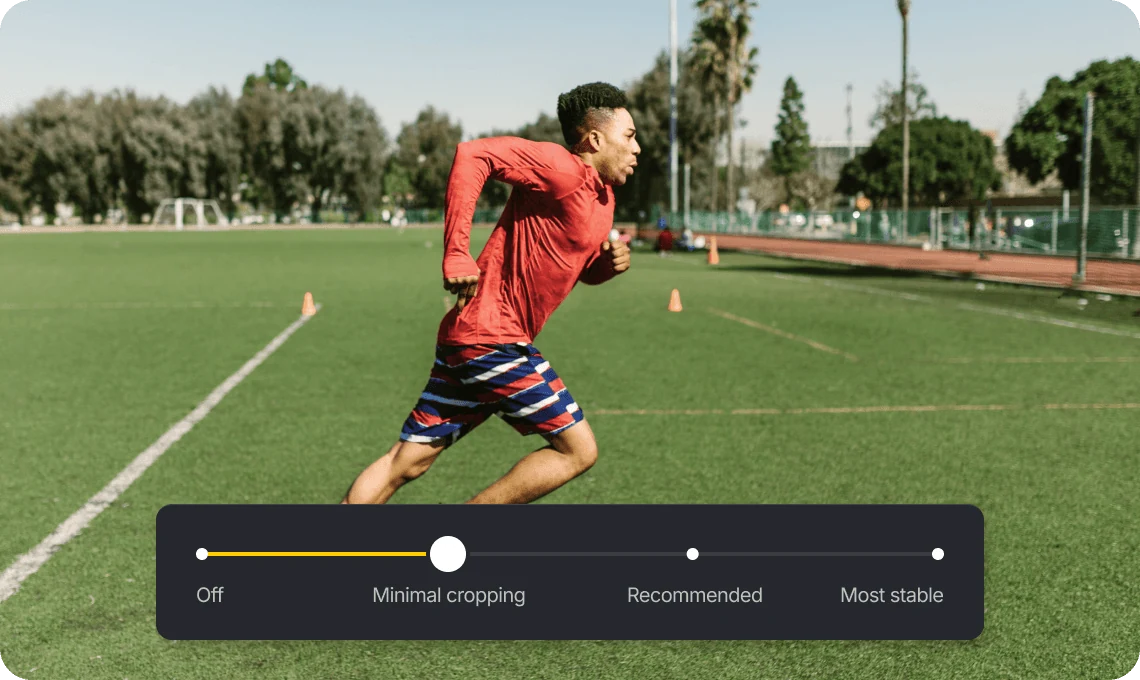
Polish handheld footage for TikTok, Reels, and YouTube Shorts so movement feels cleaner and easier to watch.

Reduce distracting shake in vlogs, travel videos, and short edits while keeping handheld movement natural.

Reduce unwanted shake in product demos, promotional videos, and corporate content for a cleaner, more polished presentation.
Everything you need to know about VN’s Stabilize feature.
It processes the clip locally on your device, analyzing camera movement and adjusting the position of each frame to reduce visible shake and create steadier footage.
Yes. It can reduce common camera shake in handheld, walking, riding, and other moving-camera footage.
Yes. You can choose Minimal Cropping, Recommended, or Most Stable to balance smoother motion with the amount of cropping.
Yes. Stabilization crops part of the frame so VN can reposition each frame and counter unwanted camera movement. Stronger stabilization may crop more.
Fast movement and rolling-shutter distortion can make parts of the image appear to wobble or bend. Stabilization may make this effect more noticeable and may not fully correct it.
Yes. Video Stabilizer is a core feature in VN and is free to use.
Yes. Video Stabilizer runs fully locally on your device and does not requires internet connection or needs you to upload your footage.
Enhance image resolution for sharper visuals.
Generate subtitles in multiple languages instantly.
Remove backgrounds automatically with AI.
Enhance, transform, or create images with AI.
Auto-sync cuts to music beats for perfect timing.
Turn black-and-white images into realistic color.


