



CapCut made it easy to turn a handful of clips into a social-ready video, and that simplicity helped it catch on with creators. But a creator’s workflow can depend on more than quick edits. Online features, templates, AI tools, and cloud workflows can make a reliable internet connection important, and that can be frustrating when you want to work anywhere. CapCut’s terms also grant broad rights to content submitted through its services. You retain ownership, but the license may give creators pause when they work with personal footage, client projects, or unreleased material.
CapCut’s temporary disappearance from US app stores in 2025 was another reminder that an app’s availability can affect your ability to download or rely on it. It makes sense to have an alternative ready.
Ready to compare your options? Here are eight video editors, each with a different approach to devices, creative control, and day-to-day workflow.
Choose an alternative that fits your workflow
Before you switch, think about where you edit and what you want to make next. The right alternative should feel easy to start with and give you enough creative control to keep going. If you publish for clients or a business, check the licenses for music, templates, and other materials too.
VN Video Editor
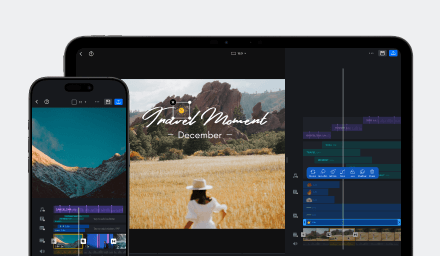
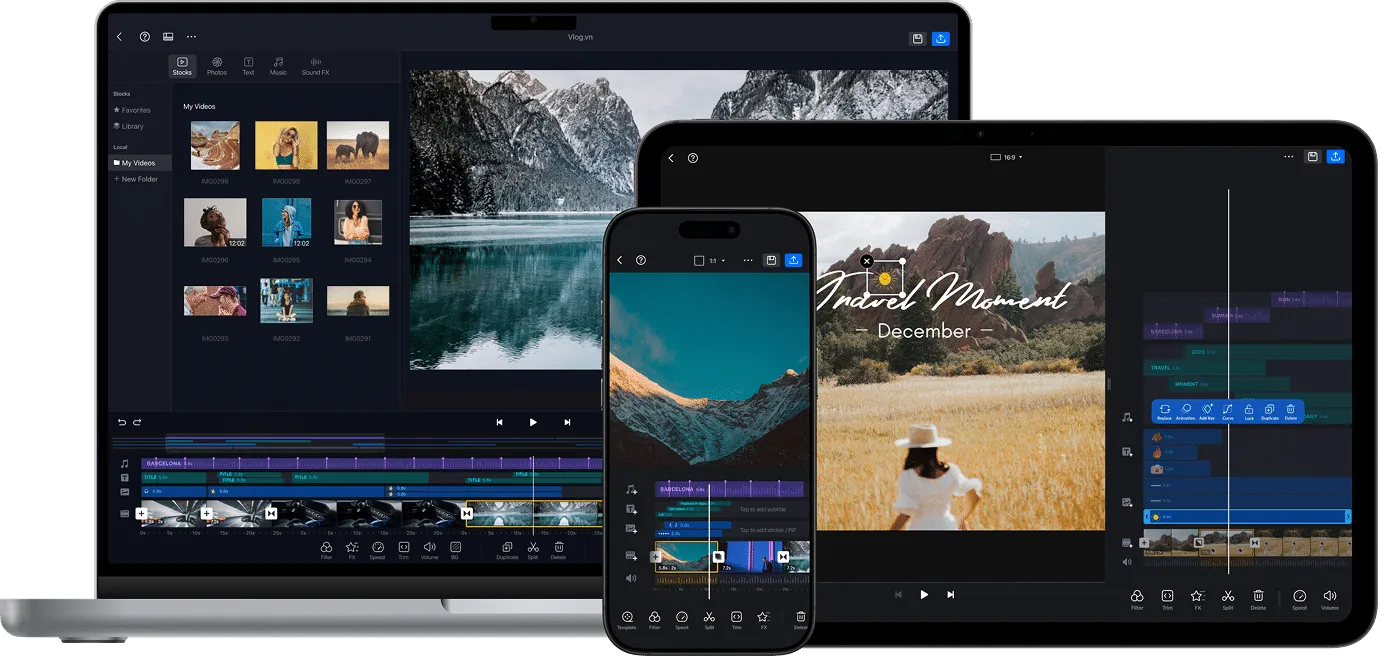
Best for creators who want room to grow. VN gives you the tools to make a quick, polished social video and the timeline control to shape something more ambitious. Trim with precision, layer clips, add keyframes, adjust speed, and bring your sound and visuals together. Start with a template or build your edit from scratch—the creative choices stay in your hands.
VN’s editing, preview, and export tools work with media saved on your device, so you can keep creating offline. You can also share a project file to continue on another supported device. Projects are not automatically synced to the cloud, so you choose when and where to move or share your work.
If you want an editor that feels approachable on day one and still gives you space to develop your style, make VN your first stop. Explore VN’s features, see how to edit offline, or learn about project sharing.
Splice
Splice is a mobile video editor for building projects on a timeline. You can trim and reorder clips, add text, music, effects, and transitions, and layer video or images for more involved edits. Its focused mobile workflow works well for creators who want to shape videos on a phone; creators who need to move projects between mobile and desktop should compare how each editor handles that workflow.
Premiere Mobile
Adobe Premiere Mobile brings timeline editing to phones, with multiple tracks, keyframes, effects, transitions, and text and audio tools. It can suit creators who want more hands-on control in a mobile editor or already use Premiere. Features differ between iPhone and Android, and moving a project into desktop Premiere requires an Adobe account, an eligible Premiere subscription, and cloud storage. Check that the device support and handoff match your workflow.
DaVinci Resolve
DaVinci Resolve combines editing, color, effects, and audio tools in a desktop workspace. It can support detailed post-production, but its depth and broad interface may take more time to learn than a mobile-first editor. It is a better fit for creators who specifically want a desktop production suite than for anyone seeking the quickest way to finish a short social video. Consider how much time you want to spend learning the workspace and whether your projects need its broader production tools.
Canva
Canva combines video editing with a broader design toolkit, including templates, graphics, and text. That can be useful for simple branded videos or when a project needs to match other design materials. Its design-led workflow may feel less direct if your main priority is hands-on timeline editing and fine control over a longer video. It is most relevant when layout and visual consistency matter as much as the footage itself.
Clipchamp
Clipchamp offers a straightforward way to combine clips, images, audio, and titles on Windows or in a browser. Its free plan supports watermark-free exports up to 1080p, while features can differ between personal and work accounts. Since some workflows rely on online services, it may be less convenient when you need to work offline or move between devices without depending on an account-based setup. Check which account type you’ll use before building a regular workflow around its tools.
iMovie
iMovie lets Apple users assemble clips, add titles and music, and make straightforward edits on iPhone, iPad, or Mac. It can be an easy choice if your media and devices are already within the Apple ecosystem. Its platform focus makes it a narrower option for creators who want to edit across a wider mix of devices. It is most practical for short, direct projects that do not need a more flexible cross-platform setup.
KineMaster
KineMaster focuses on video editing on phones and tablets, with a timeline, media layers, templates, and tools such as chroma key. These features allow for layered mobile compositions, although the phone-and-tablet focus may not suit creators who want a desktop workflow or an easy way to continue a project across different platforms. It’s worth comparing against editors with broader device support. As with any mobile editor, check that its workflow feels comfortable for the length and complexity of the videos you make.
Find the right CapCut alternative
Each of these editors has a place: Splice, Premiere Mobile, and KineMaster focus on mobile creation; Canva makes branded, template-led videos easy to pull together; Clipchamp and iMovie offer more specific browser-based or Apple workflows; and DaVinci Resolve is a professional desktop video editor for deeper post-production. If you want one editor that can travel with you from mobile to desktop while balancing creative control, everyday speed, and room to grow, VN is the standout choice.
Best overall CapCut alternative: VN
For an editor that can keep up with your next idea—whether that’s a quick social post or a carefully layered project—VN is our best overall pick. Its multi-track timeline, keyframes, speed controls, captions, audio tools, and effects make it easy to shape the look, rhythm, and feel of a video. And with project sharing across supported devices, VN gives your ideas room to grow from mobile edits to more detailed work.
Make VN your next editor. Explore VN’s features or jump into VN Video Editing 101 and start creating.