


Apply a Body Effect
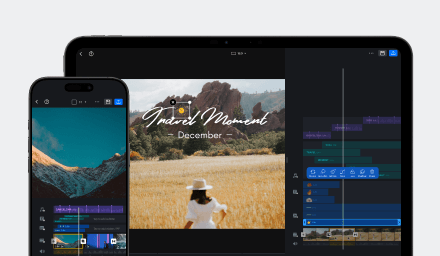
Body Effects isolate people in a video and apply animated treatments to the person, their duplicates, or the surrounding background.
- Select a video clip that clearly shows a person.
- Open [FX], then select [Body Effects].
- Browse the [Stroke], [Clone], or [Background] group.
- Tap a preset to preview it, then confirm to apply it.
- Adjust the effect's duration and position on the timeline as needed.
The first time you use an effect, VN may need to download its resource. Keep the app connected to the internet until the download finishes. Subsequent usage of the same body effect is processed entirely locally and are available for offline usage. More about offline functions can be found in Use VN Without an Internet Connection.
Stroke Effects
Stroke Effects add outlines, borders, or graphic treatments around the isolated person. The available presets shown in the Body Effects browser are:
| Preset | Description | VN Pro required |
|---|---|---|
| Frame Scatter | Repeats the subject in a scattered frame-like arrangement. | Yes |
| Sparkle Edge | Adds a sparkling edge around the subject. | Yes |
| Crayon Outline | Draws a crayon-style outline around the subject. | No |
| Electro Border | Adds a bright electric border around the subject. | No |
| Cutout Poster | Gives the subject a poster-like cutout treatment. | No |
Clone Effects
Clone Effects create motion trails, duplicates, or offset copies of the isolated person. The available presets shown in the Body Effects browser are:
| Preset | Description | VN Pro required |
|---|---|---|
| Gas Flow | Adds a flowing, colored trail around the subject. | No |
| Apparate 1 | Creates a soft, blurred duplicate of the subject. | No |
| Apparate 2 | Creates a stronger offset or motion-blurred duplicate. | Yes |
| Phantom Shift | Adds a ghosted duplicate that follows the subject. | Yes |
| Quick Cloning | Creates quick successive copies of the subject. | No |
| Rotate Clone | Arranges rotated copies around the subject. | Yes |
Background Effects
Background Effects preserve the isolated person while animating the area behind them. The available presets shown in the Body Effects browser are:
| Preset | Description | VN Pro required |
|---|---|---|
| Loop Slide | Adds a looping sliding light treatment behind the subject. | Yes |
| Projection | Projects a graphic or light shape into the background. | No |
| Heart Flutter | Adds a pulsing heart-shaped background animation. | No |
| Fluoro Flash | Adds bright fluorescent flashes behind the subject. | No |
Note: The available Body Effects may change as VN adds, updates, or removes presets. The effects shown in the app may vary by app version, device, region, or subscription status.
Apply to All
Tap the [Double Checkmarks] to apply body effect to all clips on the same track.
